Formula 1 Data
Grid Guy
gridguy.racing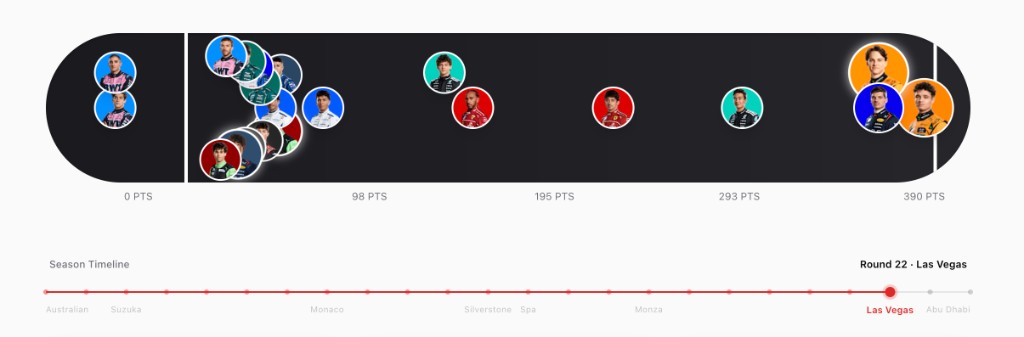
F1 race data is surprisingly hard to make sense of at a glance. The official app buries you in tables, and most fan sites optimize for density over clarity. Grid Guy started from a simple question: what if standings were built to explore?
The interesting challenge was figuring out what casual fans and stats-obsessed viewers actually need from the same interface. A first-time viewer wants to know who's winning and by how much. A serious fan wants to trace momentum shifts across a 23-race season. I ended up designing layered visualizations that surface the headline at a glance but reward digging deeper — hover states that reveal race-by-race breakdowns, and comparison modes that make rivalries tangible.
Built with
Next.js, TypeScript, Recharts, Ergast API
What I was solving for
Making dense seasonal data feel explorable rather than overwhelming. Real-time updates during race weekends without sacrificing load performance.
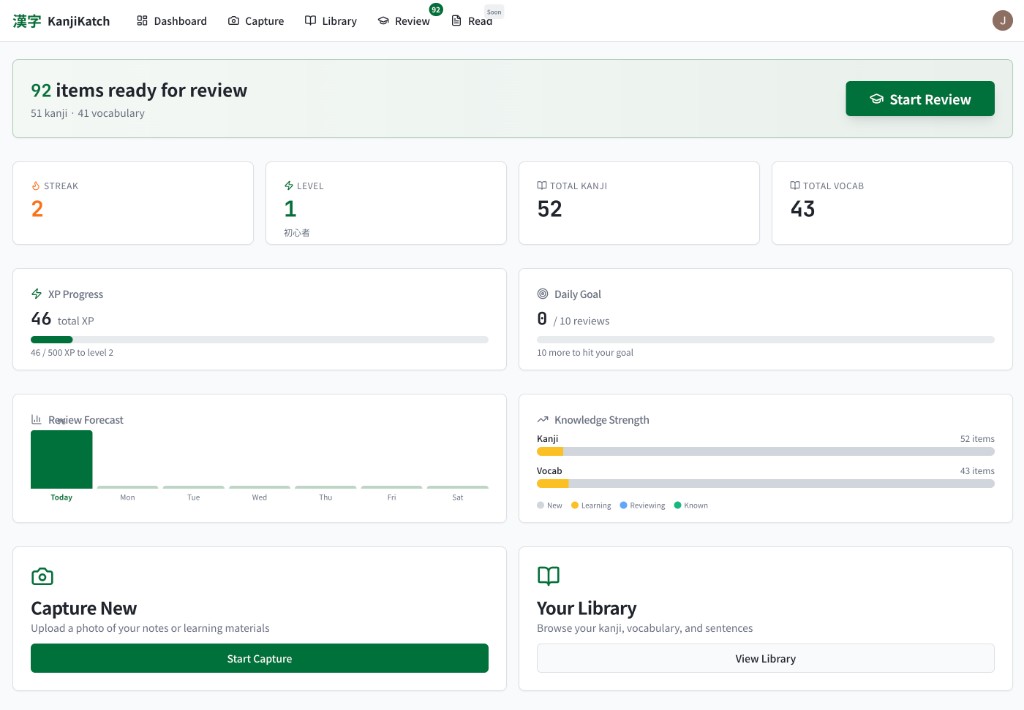
I started learning Japanese and quickly hit the kanji wall — thousands of characters, each with multiple readings, and most study tools that treat them like a spreadsheet to grind through. Kanji Katch came from wanting something that felt more like play than punishment.
The tricky part was balancing game mechanics with genuine retention. Spaced repetition works, but only if people actually come back. So I focused on making sessions feel snackable — one tap to start, no setup, no guilt if you only do five minutes. The visual-first card design lets you recognize characters by shape and pattern before you've consciously memorized the reading. It's the kind of thing where you realize you've learned 50 kanji and it didn't feel like studying.
Built with
Next.js, TypeScript, Tailwind CSS
The interesting bit
Designing a review loop that's fast enough to feel casual but structured enough that you're actually retaining. The spaced repetition algorithm adapts to how well you know each character.
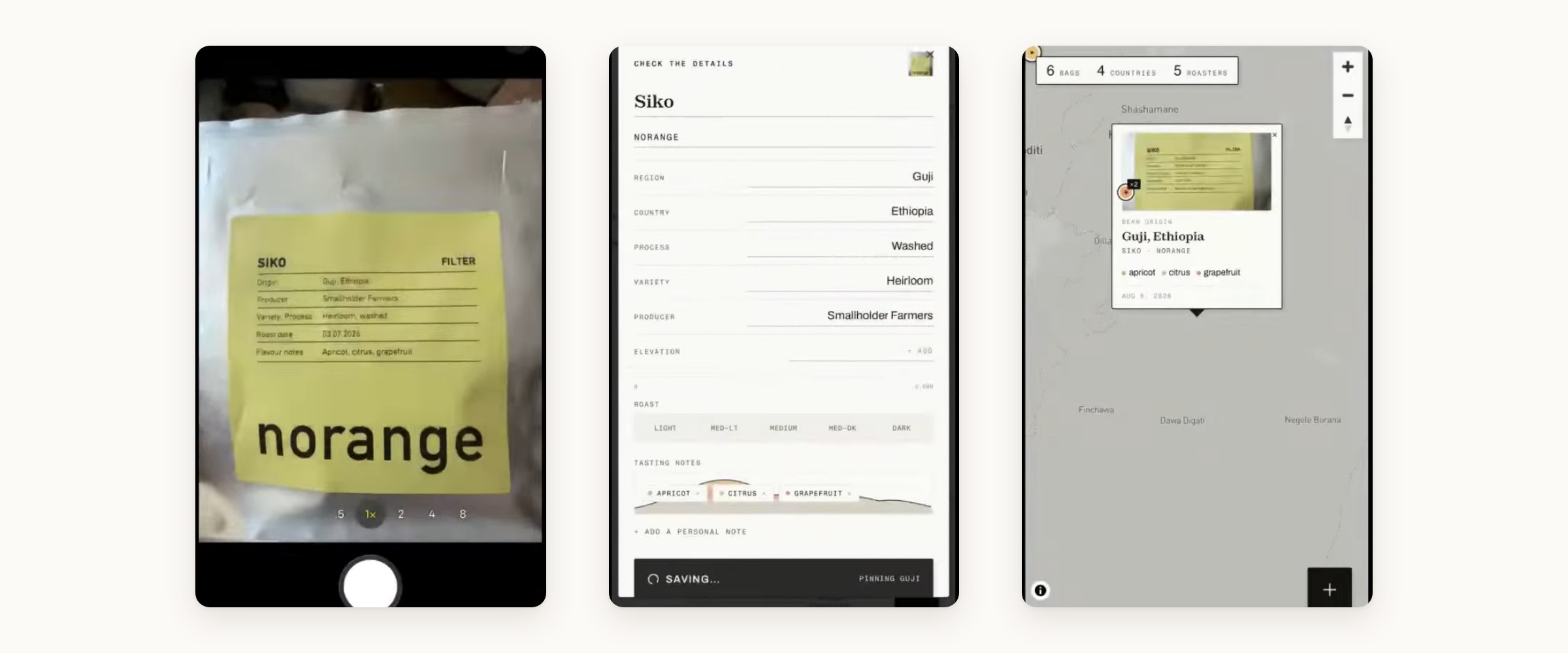
Specialty coffee tells you exactly where it came from — the farm, the region, the altitude, the way it was processed. Then the bag goes in the bin and all of it is gone. Brewroo keeps it: photograph the bag, and the label gets read back to you as real fields — roaster, origin, varietal, process, tasting notes — then a pin lands where the beans were grown.
The problem was never the map, it was the typing. Every coffee log I tried wanted a dozen fields per bag, which is roughly why I quit all of them by the second bag. Making the camera the way in turned that chore into a two-second habit, and the whole product changed shape around it — you log more, so the atlas actually fills in, and watching a pin drop in Guji beats a saved form every time. It’s in testers’ hands now.
Built with
React, TypeScript, Mapbox GL, Neon Postgres — and Claude’s vision model reading the labels.
The interesting bit
Getting clean, structured data off a crumpled foil bag. Coffee labels have no standard — every roaster invents their own layout — so the model has to work out which scrap of text is the region and which is the varietal, and hand back something tidy enough to put on a map.