Font Lab
Pick the fonts. Fix the words.
Your agent does the work.
Open source · MIT — GitHub · NPM
Font Lab lets you do the two things you should probably be doing on your sites yourself: select fonts and make the writing sound like you. Your agent installs it and composes curated pairings. Then, you see them on your actual project, pick what you like, and your agent wires it up. If any sentence in the site doesn't sound like you, double-click it and retype it (local agents). It saves straight to the source.
Works with any coding agent. Web agents (Claude Code app) pick from screenshots of your real pages. Live panel & text edit need a local agent (Cursor, Codex, …).
Install font-lab (npx font-lab install) and set it up for me — start whatever needs to run; I shouldn't have to touch…
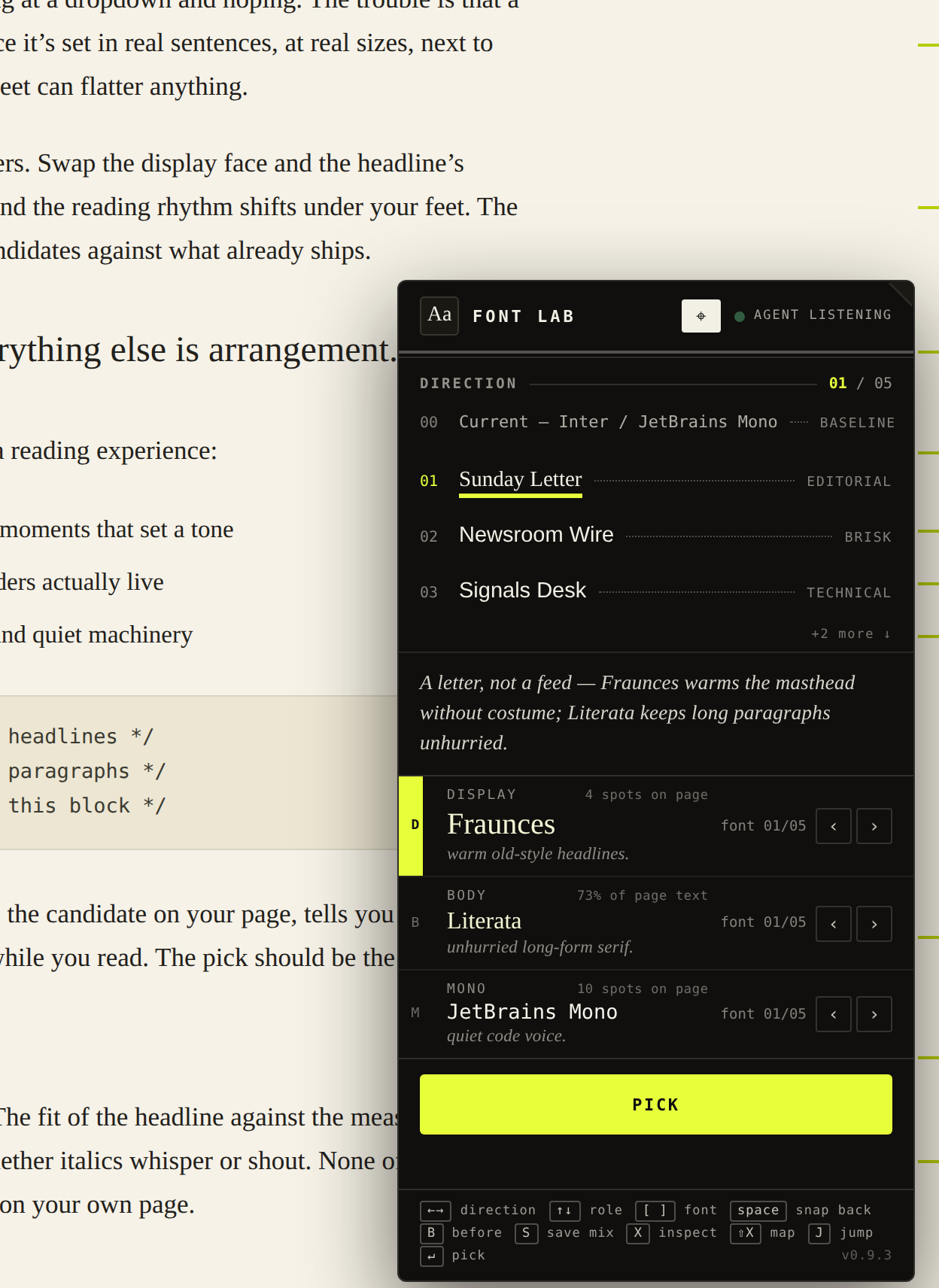
The Font Lab panel — works on your real content
Changing your site’s fonts and text should be easy. Instead, every change goes through your agent — Claude Code, Cursor, whichever you use. You ask, wait minutes for the code, wait for the preview to build… and you don’t like it. So you ask again and wait. Again.
Even if you ask for ideas, you can't see them live on your site without the agent taking time to code them in. It just takes too long. On the flip side when the agent chooses, everything comes out looking the same. You know what I'm talking about.
The writing has the same problem. It's written by an agent and you know it when you read it. It's hard to fix chat-by-chat, sentence-by-sentence, so a lot of that junk sticks around.
Slop isn't bad agents.
It's people not taking the time to make it their own.
An easy tool, your real site.
The Font Lab panel sits on top of your running site — your real pages, your real content — and lets you change fonts and words in real time. Your agent sets it up, asks you a few questions, and offers curated directions. If you don't like them, ask for more or mix and match on your own.
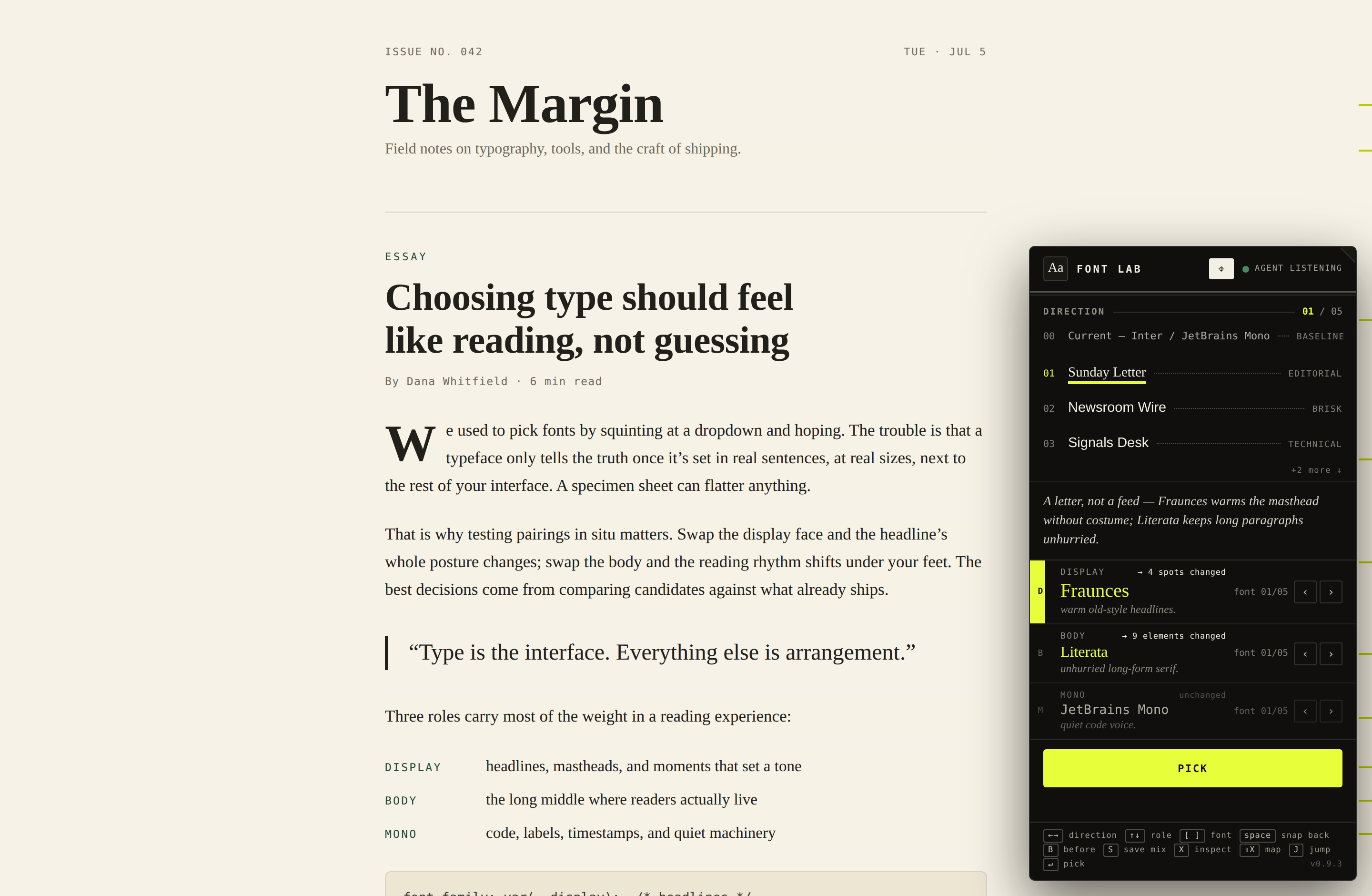
The panel, proofing a live page — direction 01 of 05, every candidate rendered in place
Hover any text to inspect it
Hover any text on your site and Font Lab names the role (display, body, mono), the font, the size, and how many other spots on the page share it. Point at your own headline and browse fonts for just that. No mode to enter, it just works.
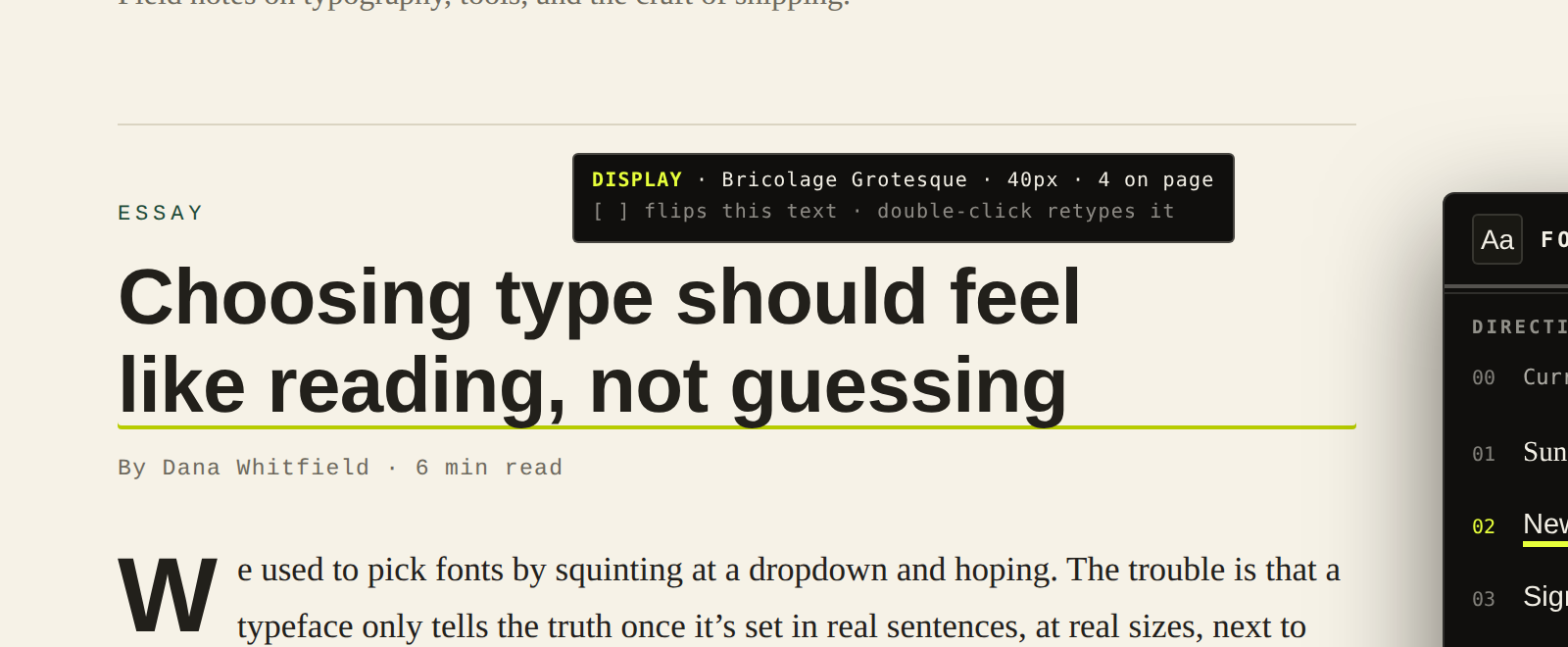
Inspect — hover names the role; hitting [ or ] swaps the font, double-click lets you retype the text
See a sentence you’d never say? Double-click it.
Every AI-built site ships with a few sentences no human wrote. Font Lab makes fixing them the fastest thing you’ll do all day: double-click any text on your page, retype it, hit ⏎ — and it’s saved straight to your source file, reversibly. The panel tells you exactly where: Saved ✓ page.tsx:35.
When words can't be edited in place — they come from a database or a CMS — the panel says so instead of guessing, and gives you a Copy fix for your agent → button: a ready-to-paste instruction with the exact change and where to make it. No dead ends.
No flip is ever silent.
Every font swap comes with a receipt. A confirmation flashes on the page → 4 spots changed — and any errors are called out. You always know exactly what you’re looking at.
Flip through directions with ← →, or swap a single role's font with [ ]. Directions come as matched sets, but nothing's locked — take the body from one, the display from another. Snap between your two finalists with space; hold B to peek at the before.
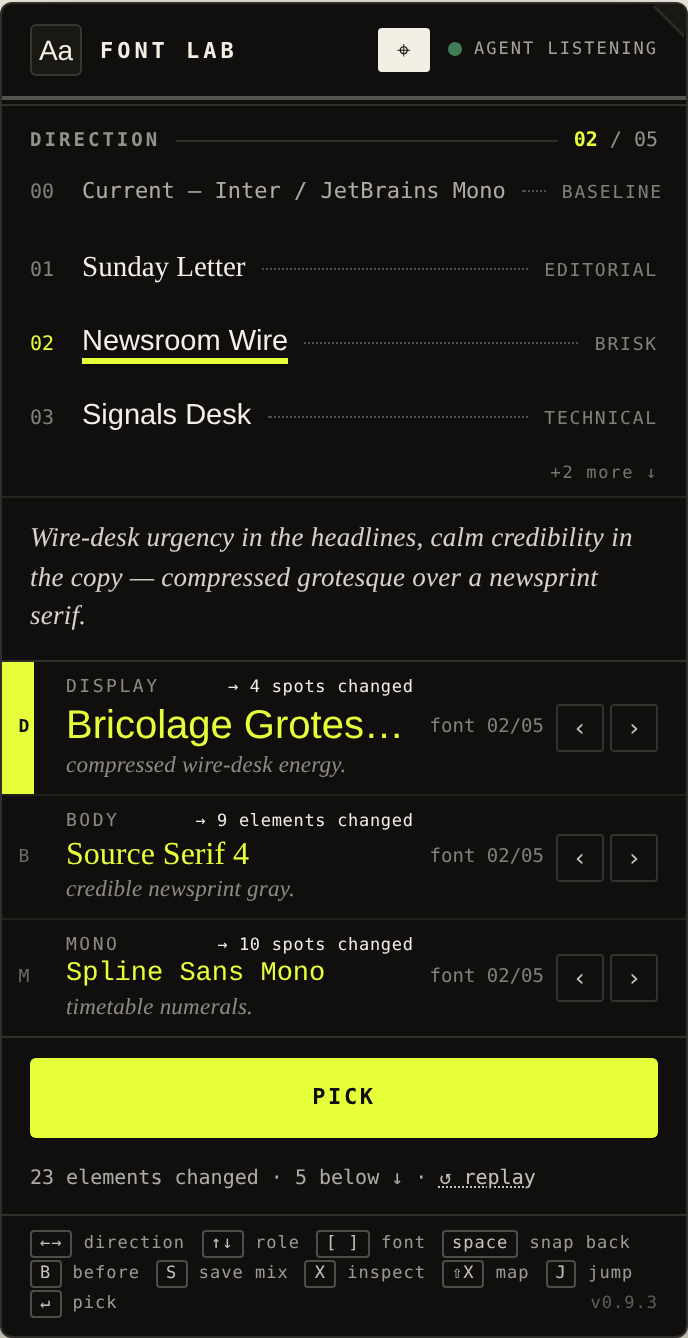
The receipt — what changed, what didn’t
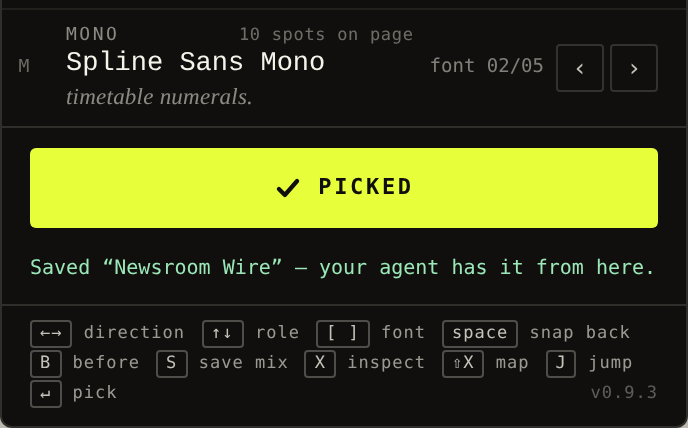
The pick — your agent has it from here
The pick is the handoff.
When you click PICK, your agent writes the real next/font + Tailwind code for exactly what you previewed — fonts self-hosted, metrics matched so the layout doesn't shift. One command undoes it, so trying things stays cheap and easy.
“just checked the site, the ‘double-click to retype straight to source’ part is smooth as hell. and making it work with claude code app/cursor is a huge plus fr. landing page looks clean too, love the yellow/black contrast. dope project bro”
I built Font Lab for my own projects.
Every time I built a page with an agent, the fonts defaulted to something generic and the writing sounded like Claude. Fixing either required a long chat loop. I wanted a faster way with more direct control to choose types and rewrite the page, so I made Font Lab.
If it helps you too, that's great. If you want to contribute, leave feedback, or just throw a star so others can find it, I'd appreciate it!
Paste once. Your agent runs the loop.
Five steps from prompt to pick. You stay in the chair for taste; the agent handles install, wiring, and the code after.
- 01
Paste the prompt
Drop this into Cursor, Claude Code, Codex — whatever agent you're already using.
Install font-lab (npx font-lab install) and set it up for me — start whatever needs to run; I shouldn't have to touch…
- 02
Agent installs
It runs npx font-lab install and wires Font Lab into your project — no account, no dashboard, nothing to configure first.
- 03
Agent asks what direction you like
A couple of taste questions — editorial vs technical, warm vs clean — then it composes font directions for your project, not a generic starter pack.
- 04
See it on your real pages
How you preview depends on where the agent is running.
LOCAL DEV
The agent wires up the live panel and spins a local environment. Flip fonts, edit text on the page, compare directions in place.
WEB AGENT
It generates screenshots of your actual site with each direction applied — so you can still choose from your real pages, not a sample.
- 05
Pick what you want. Agent does the rest.
You make the call. The agent writes the real font code for the direction you chose — and sticks around for text fixes as you go.
Fonts you chose. Words you wrote. Your agent handled the rest.
One command, inside your project. No account, no setup, nothing to learn before the first flip — or the first fix. Your agent can install it and get everything running for you.